Lead sheets
Bring in a lead sheet from a photo, a file or the clipboard, check the chords, and play along chord by chord.
Open your lead sheets
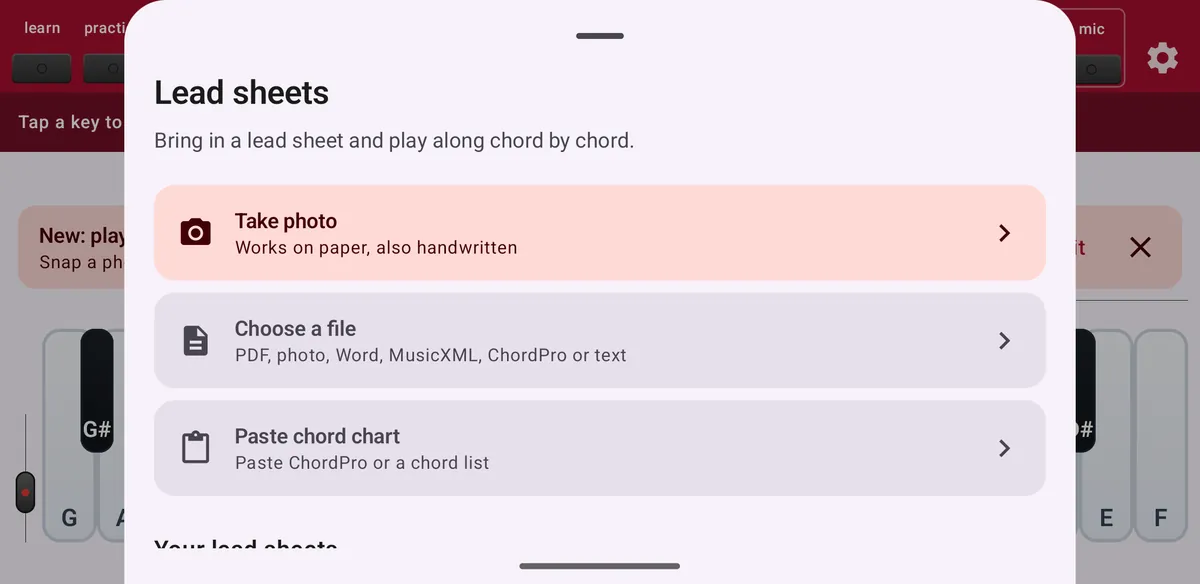
Tap sheet in the top bar. The panel shows three ways to bring in a lead sheet, and below them the lead sheets you already saved. How many imports or scan pages you have left this month is shown here too.
- Take photo
- Photograph a chord chart on paper, printed or handwritten. Maestro only.
- Choose a file
- PDF, photo, Word (.docx), OpenDocument (.odt), MusicXML, ChordPro or plain text. Old Word (.doc) and RTF files: save them as .docx first.
- Paste chord chart
- Paste ChordPro or a simple list of chords, for example Am F C G.
Don't need it? Hide the sheet button in Settings under Toolbar buttons.
How ChordWise reads your chart
Text, ChordPro, MusicXML and Word files are read on your phone. ChordWise understands section labels, repeat signs (written out), N.C., Do-Re-Mi and German H/B note names, and symbols such as CΔ7 and Fø7. In MusicXML it reads the part with the most chords.
Photos, scans and PDFs are read online. ChordWise first asks for your permission; the image is sent securely to ChordWise and to Anthropic, the AI provider, and is not kept. Reading usually takes 5 to 20 seconds.
Check the chords
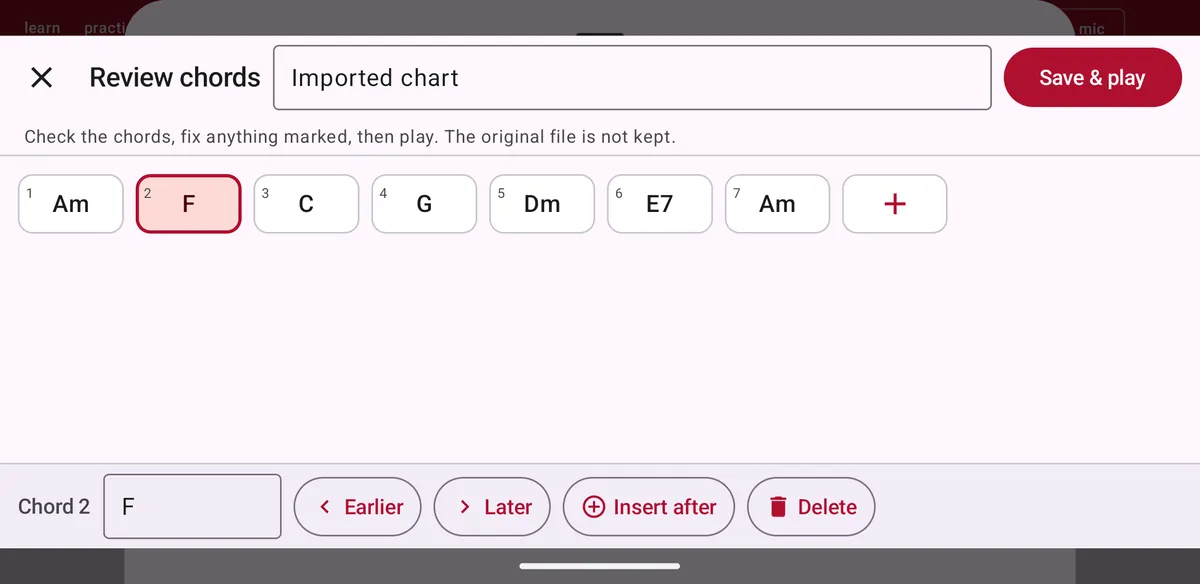
Before you play, ChordWise shows all chords in order. Chords it is unsure about are marked: check them. Tap a chord to change it, move it earlier or later, insert a chord after it, or delete it. Use + to add a chord, give the lead sheet a name, and tap Save & play. The original file is not kept.
Play along
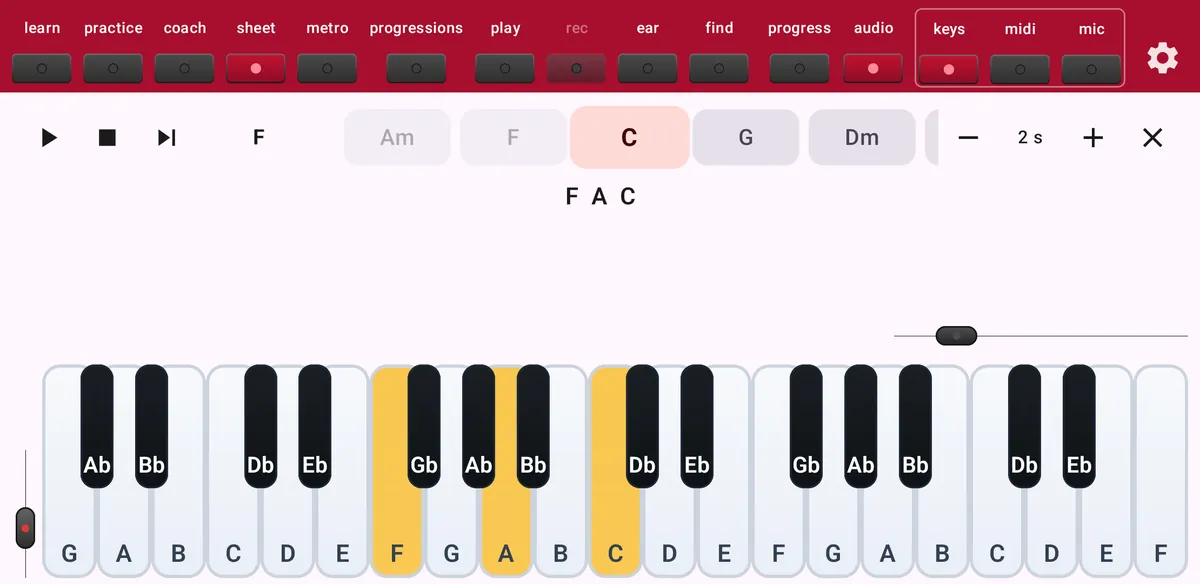
The chords run in a strip above the keyboard and the next one is highlighted. Play it and ChordWise moves on. The fifth may be left out, and so may the root in extended chords; the bass note of a slash chord is not required.
Use play and pause, stop and Skip chord, and set the speed in seconds per chord with − and +. When you reach the end you see how many chords you played.
Your lead sheets
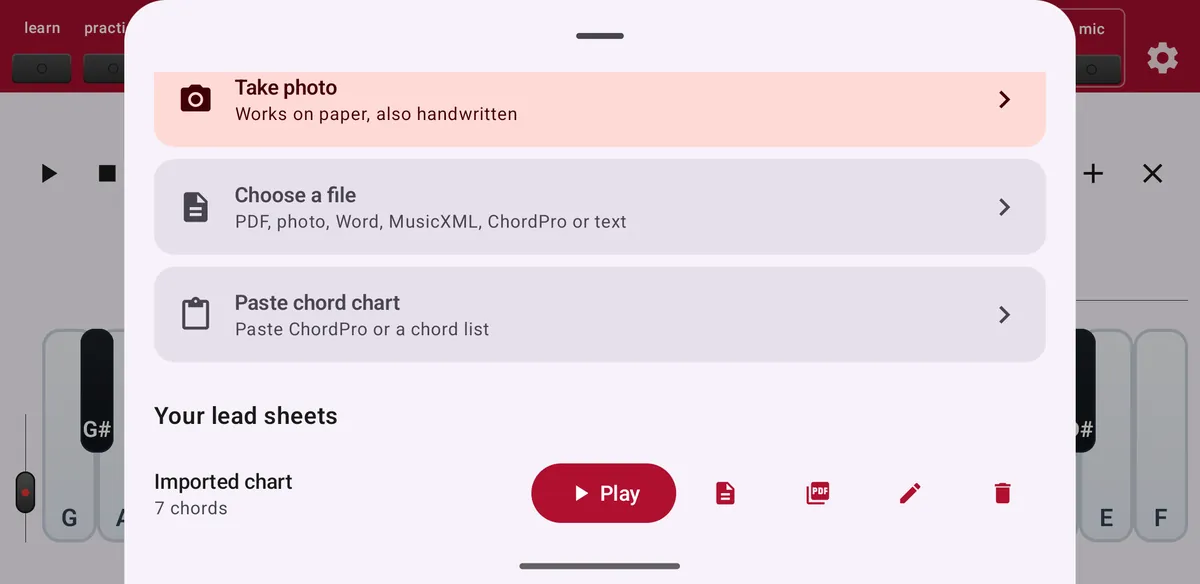
Saved lead sheets appear in the sheet panel. Open one to play it again, or edit it: rename it, change the order, insert or delete chords. Editing does not cost an import.
Free or Maestro
Free: 10 imports a month from text, ChordPro, MusicXML, Word and OpenDocument files or the clipboard. Maestro: unlimited imports, plus photos, scans and PDFs (30 pages per subscription month).