Progressions
Pick a key and a style, play a chord, and ChordWise suggests where to go next. Great for jamming and writing songs.
Start
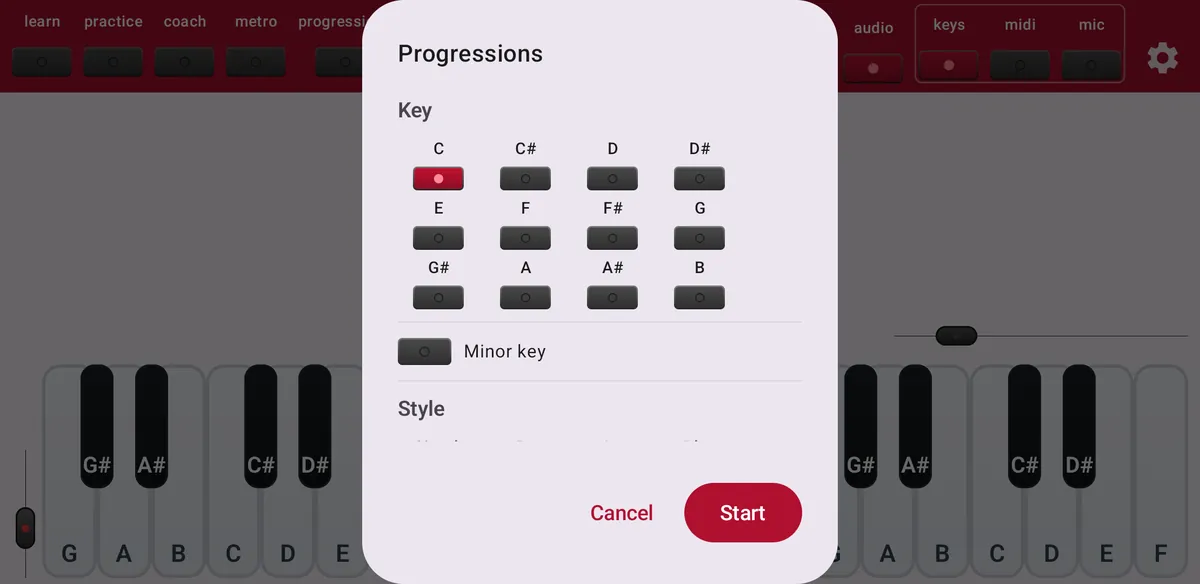
Tap progressions. Choose the key, switch on Minor key if you want a minor key, and pick a style: Simple, Pop, Jazz or Blues. Optionally choose a start chord; otherwise suggestions appear after your first chord. Tap Start.
Follow the suggestions
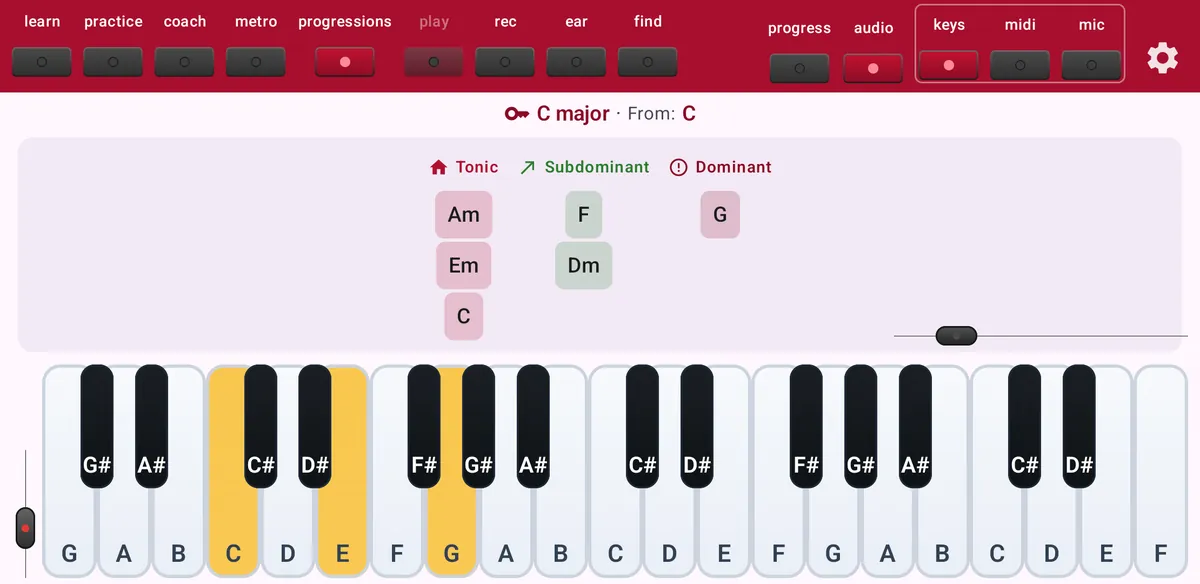
Play a chord. Above the keyboard ChordWise shows the key, the chord you came from, and the chords that fit next, grouped by function:
- Tonic
- Home: stable chords that sound like rest.
- Subdominant
- Moving away from home.
- Dominant
- Tension that wants to resolve back home.
- Modulation
- Chords that lead you to another key.
Press and hold progressions to change the key and style without stopping.
Free or Maestro
Free in the natural keys C, D, E, F, G, A and B. Maestro adds every key.