Practice Builder
Make exactly the drill you need: chords, scales, scale degrees or single notes, at your tempo, with or without help on the keys.
Four kinds of drills
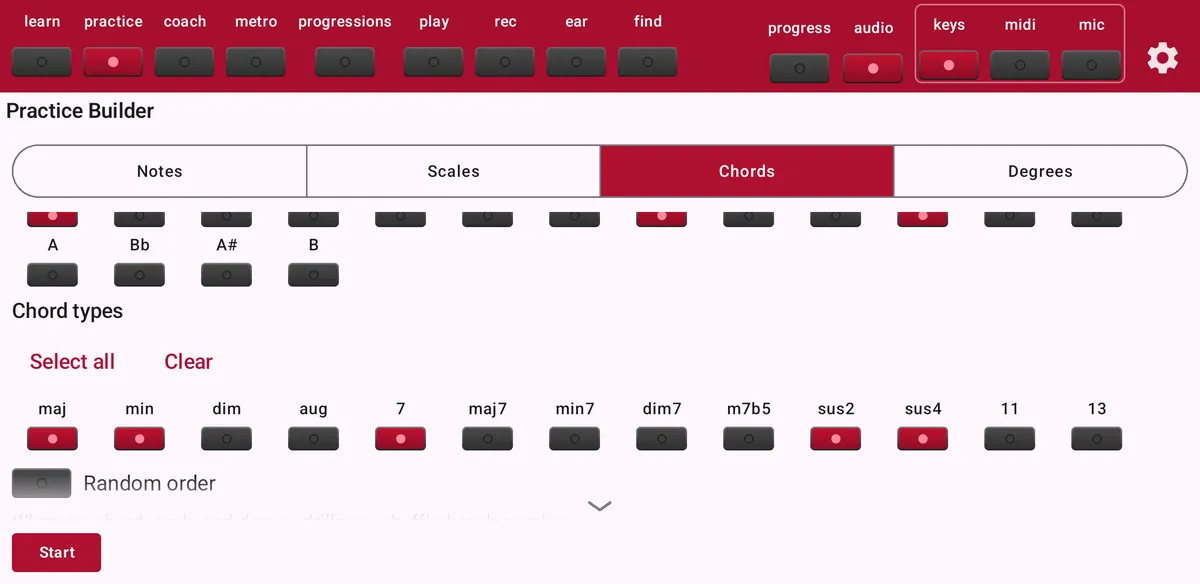
Tap practice to open the Practice Builder. The tabs at the top choose the kind of drill:
- Notes
- Single notes, to learn where every key is.
- Scales
- Scales in any key: major, natural minor, dorian, phrygian, lydian, mixolydian and locrian.
- Chords
- Choose roots and chord types: maj, min, dim, aug, 7, maj7, min7, dim7, m7b5, sus2, sus4, 11 and 13.
- Degrees
- Play scale degrees (I, ii, iii…) in a key and mode. The preview shows which chord belongs to each degree.
Options for chords
Scroll down below the chord types for more options:
- Allowed positions
- Root position, 1st, 2nd and 3rd inversion. The 3rd inversion needs a chord with a seventh.
- Require specific inversion
- Each prompt then asks for one particular inversion, for example C (1st inversion).
- Play as arpeggio
- Play the notes one by one: ascending, descending, or up and down, over one or more octaves.
Options for scales and degrees
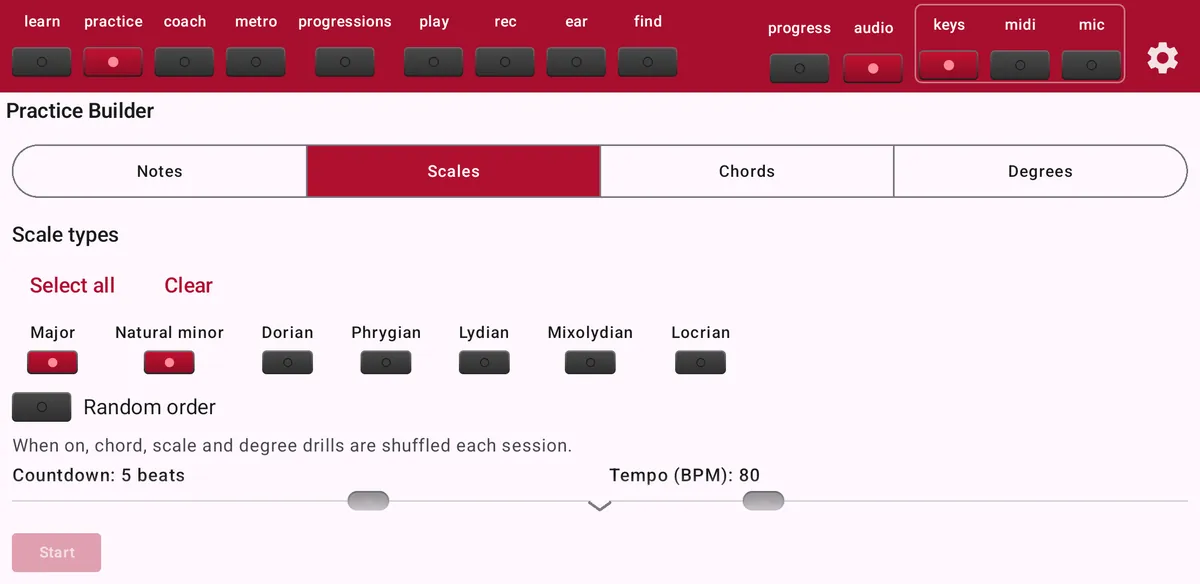
- Scale direction and octaves
- Ascending, descending or up and down, over one or more octaves, optionally ending on the top root.
- Mode and minor variants
- For degrees choose major or one of the modes, and natural, harmonic or melodic minor.
- Show chord suggestion
- Adds the matching chord to the instruction, for example Play degree V in C major (G).
Options for every drill
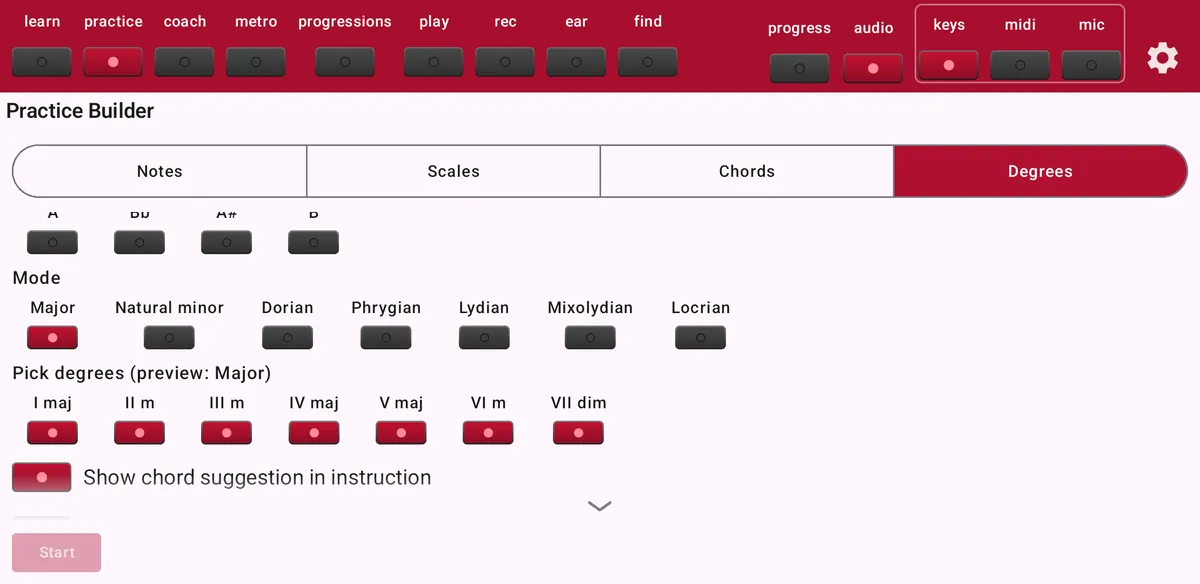
- Random order
- Shuffle the prompts every session.
- Countdown and tempo
- Set the count-in and the tempo in BPM.
- Start metronome automatically
- The metronome starts with the drill.
- Keyboard hints
- Highlight the next notes on the keyboard.
- Review wrong answers
- Pause after a mistake to compare your notes with the right ones, with an optional Show correct answer button.
Doing the drill
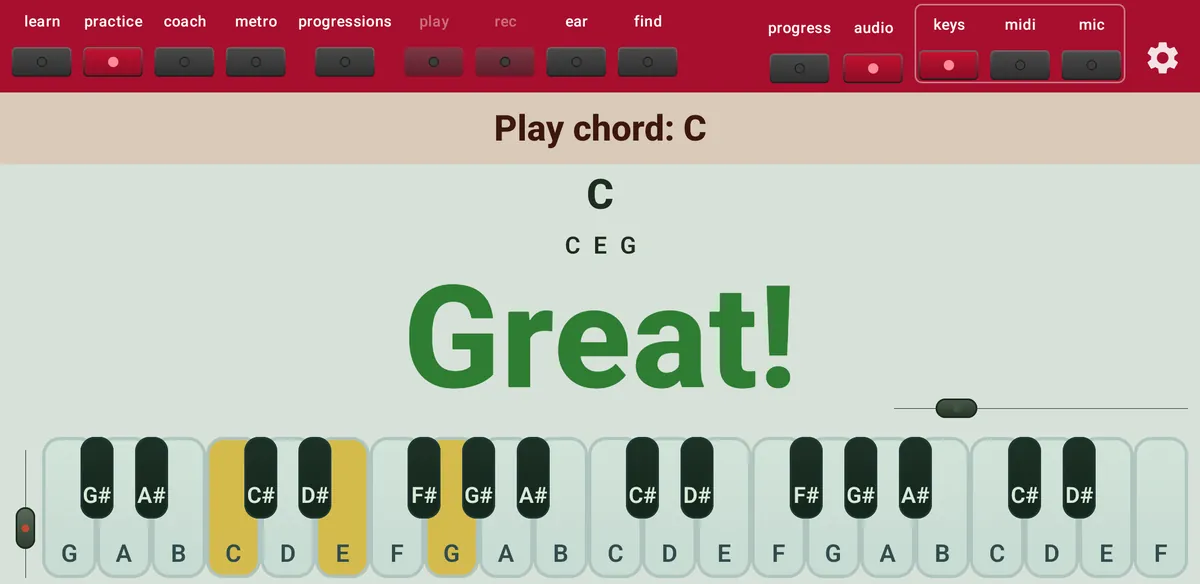
Tap Start. The instruction bar tells you what to play, for example Play chord: G. Play it and ChordWise answers with Great! and moves on, or with Try again. Use Skip to go to the next prompt.
Every attempt is saved for Progress: accuracy, reaction time and which chords need more work.
Saved exercises
Give your drill a name and tap Save to keep it. It appears under Saved exercises, so you can load it again with one tap.
Free or Maestro
Free: 30 practice attempts a day, root position only, the natural keys (C, D, E, F, G, A, B), the chord types maj, min, 7, sus2 and sus4, major and natural minor scales, and up to two combinations per drill. Maestro unlocks every key, chord type and scale, inversions, arpeggios, saved exercises and unlimited practice.