Record and play back
Record the chords you play, save the session, and play it back later as an exercise.
Record
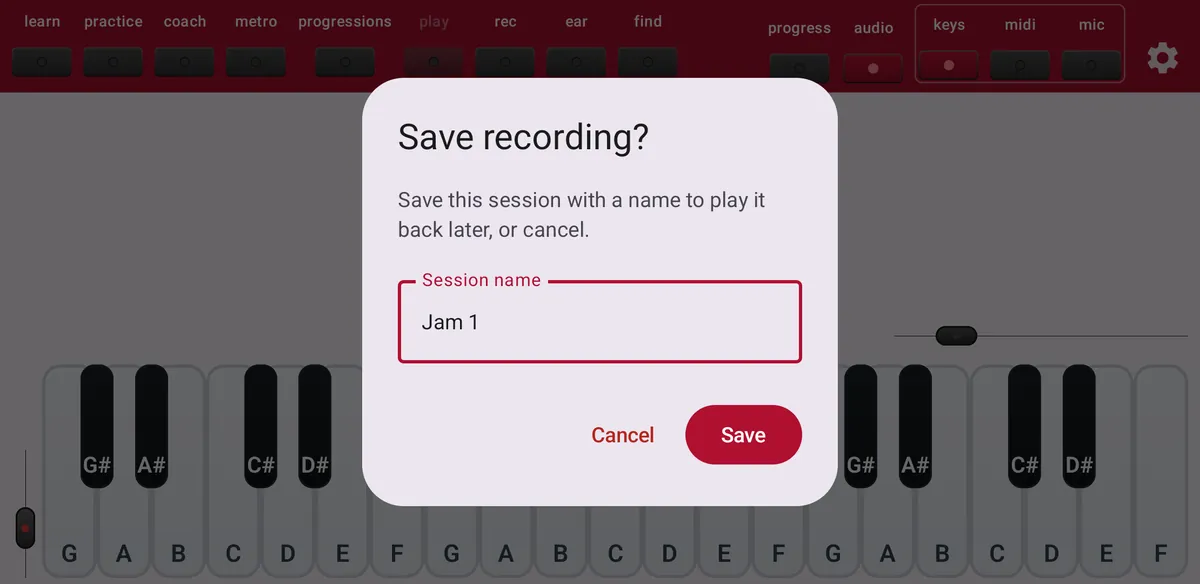
Tap rec and play. ChordWise saves one chord each time you play and release a chord. Tap rec again to stop, give the session a name and tap Save.
Play back
Tap play to play back a saved session: the chords appear in a strip and ChordWise waits until you play each one in order. Press and hold rec or play to manage your sessions.
- Export JSON
- A file you can import again, also on another device or on the other platform.
- Export PDF
- A clean list of the chords you played, to print or share.
- Import JSON
- Load a session someone shared with you.
Free or Maestro
Free recordings last up to one minute and you can save one session. Maestro removes these limits and adds PDF export.